
New Employee Discovery Checklist
Indiana Division of Family Resources
Welcome to the New Employee Discovery Checklist for DFR eligibility staff. This checklist is designed to introduce key DFR concepts, terminology, and resources before New Hire Training. Completing the checklist will help you gain familiarity with topics that will be covered in greater detail during training.
Best Practices - Employee Guide
The following are best practices and suggestions on how to use the New Employee Discovery Checklist. If there are any questions after reviewing, please reach out to your DFR manager.
Pace Yourself
- Spread checklist activities throughout your pre-training period.
- Dedicate time each day to reviewing a section of the checklist.
- Avoid rushing through all topics in a short period of time.
Focus on Learning
- Concentrate on becoming familiar with concepts and terminology.
- Use the resources provided to explore topics and understand where to find information.
Take Notes
- Record important information and definitions.
- Keep a list of questions to ask when the topic is reviewed during New Hire Training.
Use Available Resources
- Read provided reference materials, policy manuals, and job aids.
- Practice navigating the various resources and locating them by searching through Online Help or the policy manuals.
Reflect and Review
- Take time to think about what you have learned in each section.
- Revisit topics that are difficult to understand or that require additional research.
Page Navigation Tips
The instructions below provide an overview of page and guidance on how to navigate them.
-
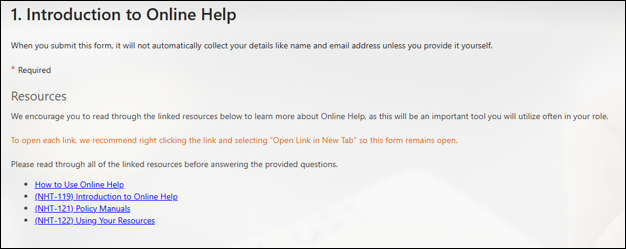
1. Introduction Page
On this page, you will find resources to review, including work instruction and/or policy sites.
We encourage you to open and review all of the resources provided in each topic.
-
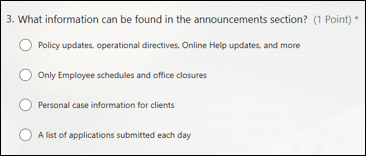
2. Questions Page
After reviewing the suggested resources, you will answer practice questions related to the material. These questions are designed as a self-discovery tool and have no impact on your employment. Their purpose is to provide immediate feedback to you as you learn about the Division of Family Resources (DFR) and your role.
If you are unsure of an answer, return to the resources provided to locate the information needed and test your knowledge.
Click "Submit" when you are ready to view your results.
-
3. Results Page
On this page, select “View Results.”
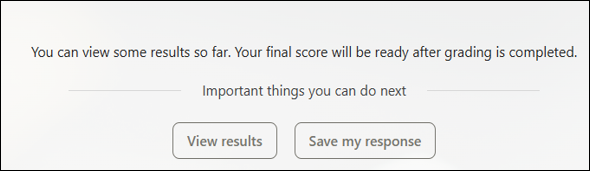
The full results page will show your responses and feedback for each question.
If you answer a question incorrectly, a green check mark will display next to the correct answer.
The feedback under your answer will identify the resource where you can find the correct information. We encourage you to review those resources before continuing on to the next topic.

It is recommended that you re-take each quiz until you score correctly on all the questions. To retake the quiz, select “Go back to thank you page” at the bottom of the results page and on the next page, select “Submit another Response” which will take you to a new quiz.
After completing each topic, take a screenshot of your results page (example below) and share it with your manager via email to keep them updated on your progress through the New Employee Discovery Checklist.
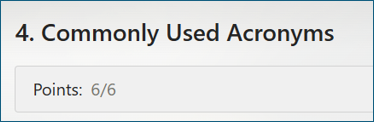
Need help taking a screenshot? Use your computer’s screenshot tool to capture an image of your results page, then save or paste the image into an email to your manager.
| Discovery Checklist | |
|---|---|
| 1. Introduction to Online Help | View |
| 2. DFR/FSSA Overview | View |
| 3. Confidentiality | View |
| 4. Commonly Used Acronyms | View |
| 5. Kiosks/Self-Help Center | View |
| 6. Reception Log | View |
| 7. Voter Registration | View |
| 8. Application Clearance | View |
| 9. Application Timeframes | View |
| 10. Application Validity | View |